


Messenger SMS - Text Messages
4.629.56K Reviews
App Specs
- Version
- 2.9.9
- Updated On
- License
- Free
- Downloads
- 50,000,000+
- Developer
- SMS Messenger, Text App
- Categories
- Communication
- Platform
- Android, iOS
Screenshots
 Analysis by AppCompare
Hey there! So, I recently got my hands on Messenger SMS - Text Messages, and I’ve gotta say, it’s a pretty nifty app for anyone looking to keep their texting game strong. Whether you’re a texting pro or just someone who wants to simplify their messaging life, this app might just be what you need.
Getting Started with Messenger SMS - Text Messages
First off, downloading the Messenger SMS - Text Messages app was a breeze. Available for both Android and iOS, you can easily grab it from the Google Play Store or the Apple App Store. Installation was quick, and I was up and running in no time.
The setup process is straightforward. Once you open the app, it asks for a few permissions to access your contacts and messages. This is pretty standard for any messaging app, so no surprises there. The interface is clean and user-friendly, which, let's be honest, is a huge plus. No one wants to spend ages figuring out a new app, right?
Features That Stand Out
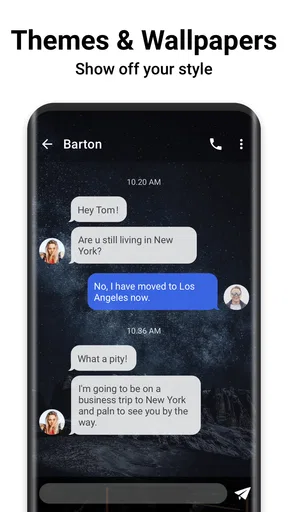
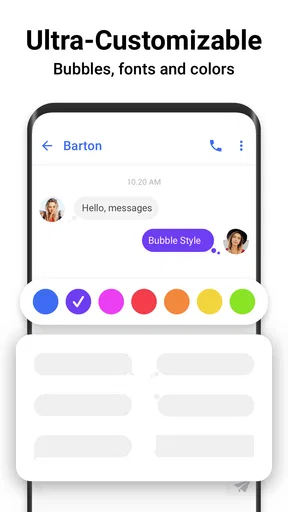
Now, let’s dive into the good stuff: the features. One thing I love about this app is its customization options. You can tweak themes, colors, fonts, and even bubble styles. This means you can make your messaging experience as unique as you are.
Another cool feature is the quick reply option. Imagine you’re in a meeting or just too busy to type out a full response. With this app, you can send quick replies straight from the notification bar. It’s a lifesaver for those on-the-go moments.
For those who like to keep things organized, the app offers a neat way to categorize your conversations. You can create folders and sort your messages into categories like family, work, or friends. It’s like having a personal assistant for your texts!
Performance and Reliability
Performance-wise, Messenger SMS - Text Messages runs smoothly. I haven’t experienced any lags or crashes, which is always a relief. The messages are delivered quickly, and there’s no annoying delay that some other apps suffer from.
Worth Reading Before You Choose

EA SPORTS FC Mobile 26 Is a Bigger Football Game, but It Takes Time

Flipboard Shows What News Apps Must Do Beyond the Feed

Switching to Android Auto Means Rethinking Your Driving Routine

Google Calendar Makes a Crowded Week Easier to Manage

Ludo King Makes the Most of the Minutes Between Plans

Baby Panda World Brings Quick Play to Modern Phones, but Its Game Library Feels Busy
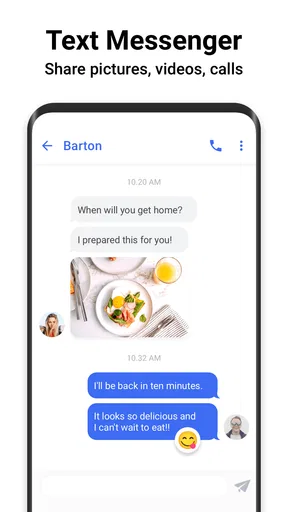
I also appreciate the app’s reliability. It syncs effortlessly with my contacts, and I haven’t had any issues with sending or receiving messages. Plus, it supports MMS, so sharing photos and videos is a piece of cake.
A Few Extras
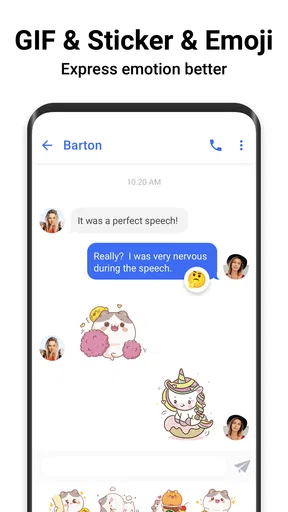
If you’re into emojis, you’ll be happy to know that this app has an extensive emoji library. Whether you want to express joy, sadness, or just send a random unicorn, the options are plentiful.
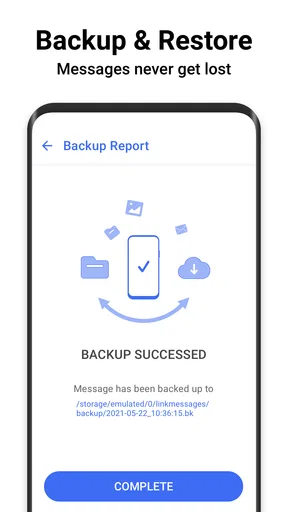
For the privacy-conscious folks out there, the app provides a secure backup option. You can backup your messages to a cloud service, ensuring that your precious conversations are safe and sound.
Final Thoughts
All in all, I’d say Messenger SMS - Text Messages is a solid choice for anyone looking to enhance their texting experience. It’s got a bunch of features that cater to personalization, efficiency, and organization. While it’s not entirely revolutionary, it does what it promises and does it well.
If you’re interested in trying it out, I’d definitely recommend giving it a shot. It’s free to download, so there’s really nothing to lose. Just head to your app store, install it, and see if it makes your texting life a little easier.
Happy texting!
Pros
- User-friendly interface enhances messaging experience.
- Supports multimedia messages with ease.
- Customizable themes for personalization.
- Quick message delivery with minimal lag.
- Secure encryption for private conversations.
Cons
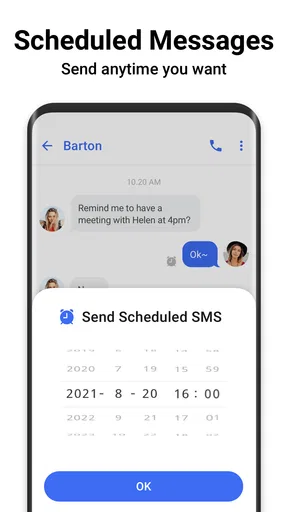
- Lacks advanced scheduling features.
- Limited integration with other apps.
- Occasional ads can be intrusive.
- No option for cloud backup.
- Customization can be overwhelming for new users.
FAQs for Messenger SMS - Text Messages
What features does Messenger SMS - Text Messages offer?
Messenger SMS - Text Messages provides a comprehensive messaging experience, including standard SMS and MMS capabilities, customizable themes, and advanced security features like end-to-end encryption. It also supports group chats, multimedia sharing, and quick reply options, making it a versatile choice for users looking for a robust messaging app.
Is Messenger SMS - Text Messages secure to use?
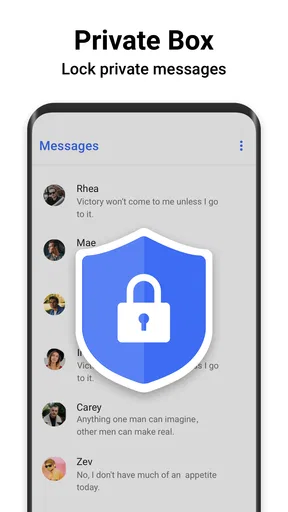
Yes, security is a priority for Messenger SMS - Text Messages. The app includes end-to-end encryption to protect your conversations from unauthorized access. Additionally, it offers features like password protection and secure backups to ensure your data remains safe and private, providing peace of mind to its users.
Can I customize the look and feel of the app?
Absolutely! Messenger SMS - Text Messages offers a variety of customization options. You can change themes, alter chat bubble styles, and select different notification sounds to personalize your messaging experience. This flexibility allows users to tailor the app to their preferences, enhancing the overall user experience.
Does the app support multimedia messages?
Yes, Messenger SMS - Text Messages supports multimedia messaging, allowing users to send and receive images, videos, and audio files. This feature enriches communication by enabling the sharing of more than just text, making conversations more dynamic and engaging for users.
Is Messenger SMS - Text Messages free to use?
Messenger SMS - Text Messages is available for free with optional in-app purchases. The free version includes most of the essential features, but users can opt for premium features, such as advanced customization options and ad removal, to enhance their experience if they choose to upgrade.


